
What has changed?
This release packed in several changes designed to improve features related to Tātou Field App user experience including: Expanded Job Carryover functionality and Default Job Tracking Type.
Carryover Jobs extended to ALL Simple Summary and Assign Rows Jobs
-
Previously restricted to Assign Rows Tracked Jobs, and Simple Summary Tracked Jobs linked to Scheduled Tasks
Default Job Tracking Type
-
Office App users can now assign Default Tracking Types to:
-
Tasks
-
Scheduled Tasks
-
-
This change ensures Field App users are tracking their jobs using the desired Job Tracking, so that managers and office app users get the information they are after.
How do I use it?
Start a Carryover Job in the Field App:
Now all SYNCED Jobs that have been tracked using Simple Summary or Assign Rows will have the Carryover options available by:
-
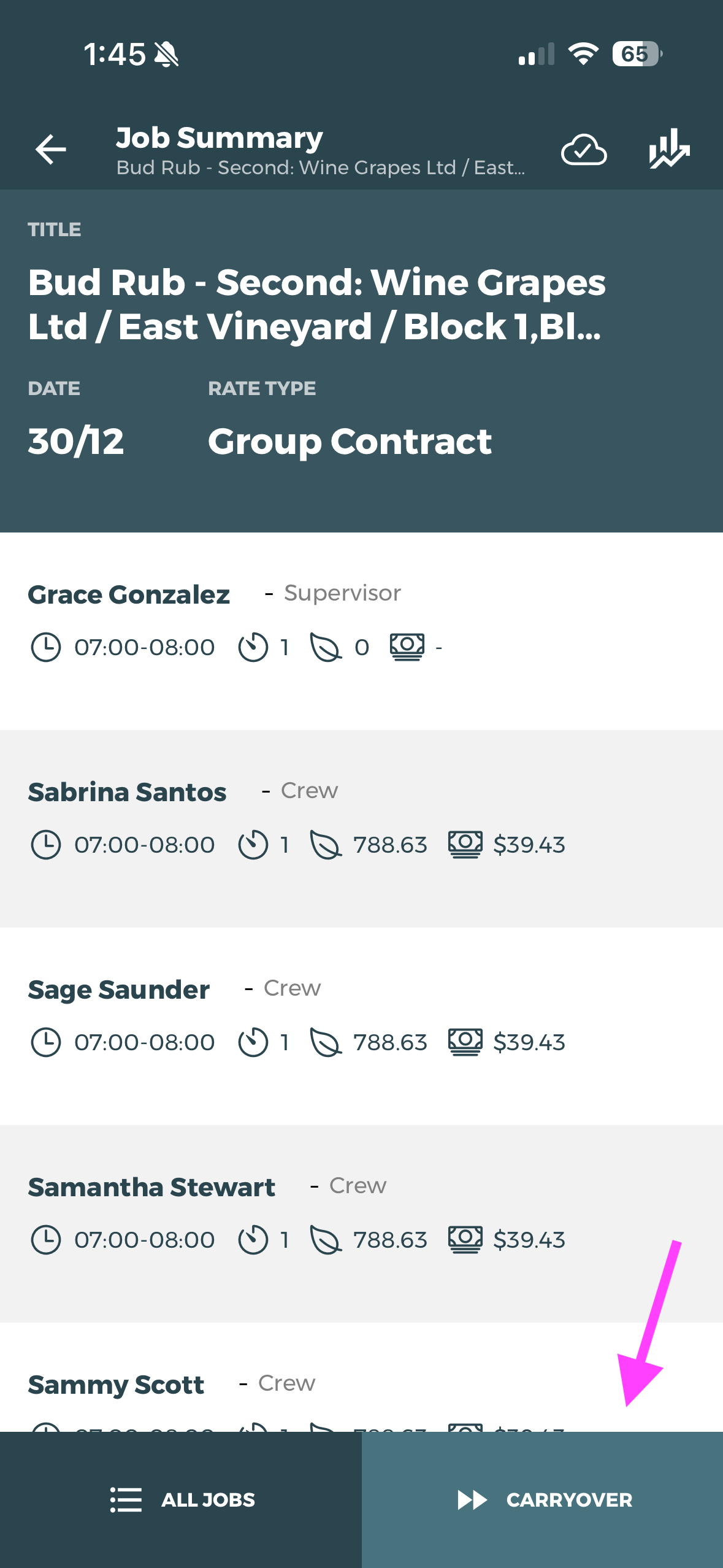
Clicking the CARRYOVER button on the Job Summary View
-
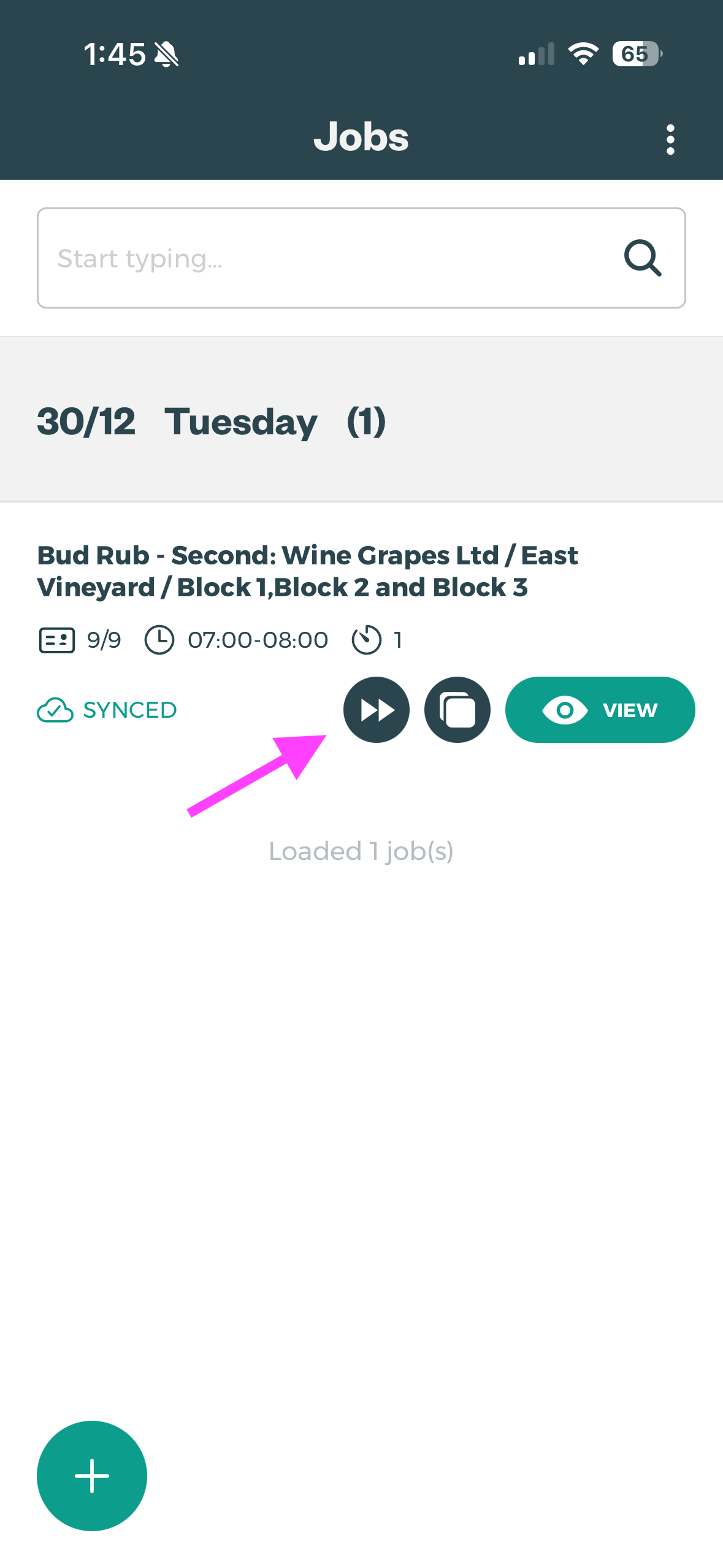
Clicking the carryover icon from the Job on the the Jobs Screen Icon
-
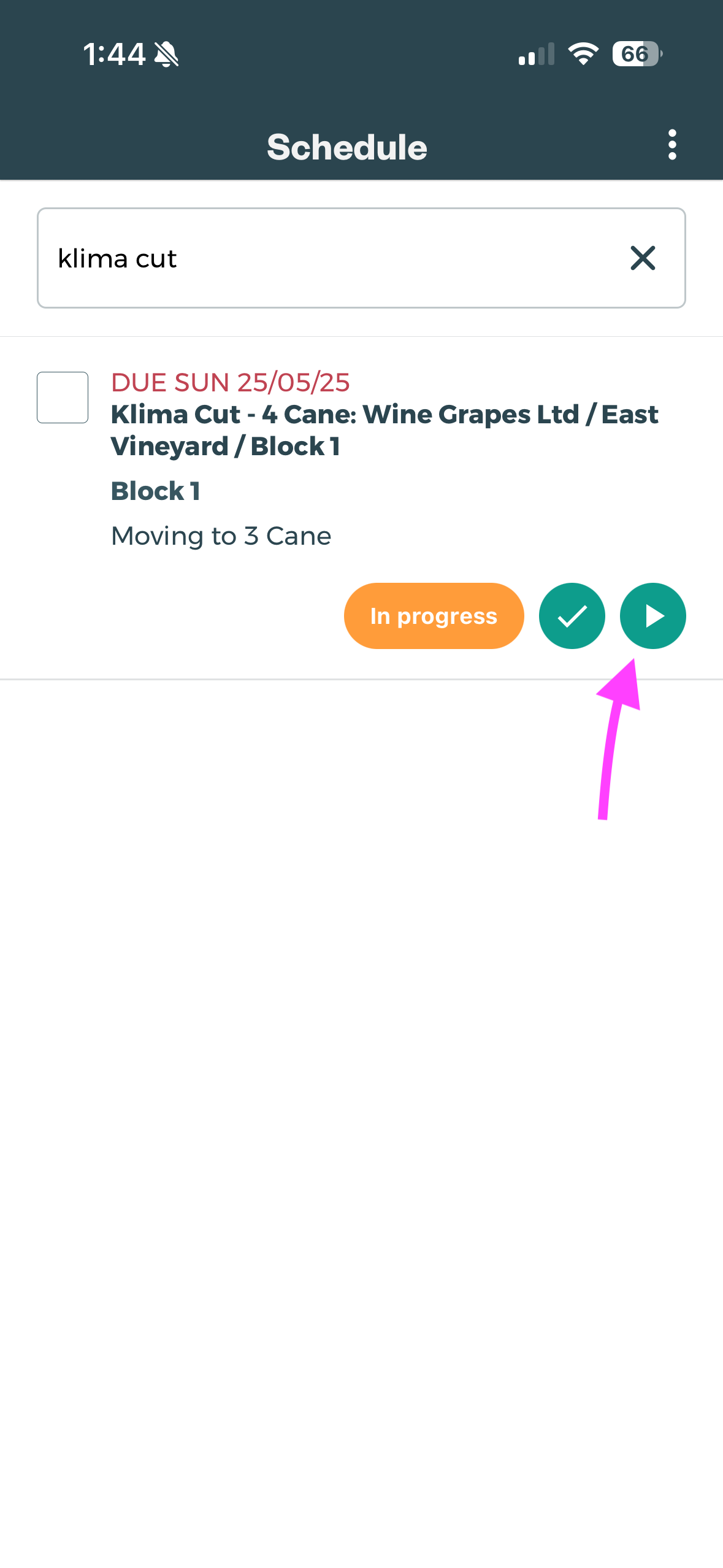
Or if using scheduled tasks, simply pressing PLAY on the Scheduled Task on the Schedule Screen
Set up Default Job Tracking Type in Tātou Office App
Setting a Default Tracking Type on a Task or Scheduled Task will restrict Field App Users from selecting a different Tracking Type. Make sure to consult operational teams before updating these to ensure they are aware of this restriction and the correct defual is selected for each task.
Remember to have Field App users RELOAD data after changes are made in the Office App
By Editing an Individual Task
-
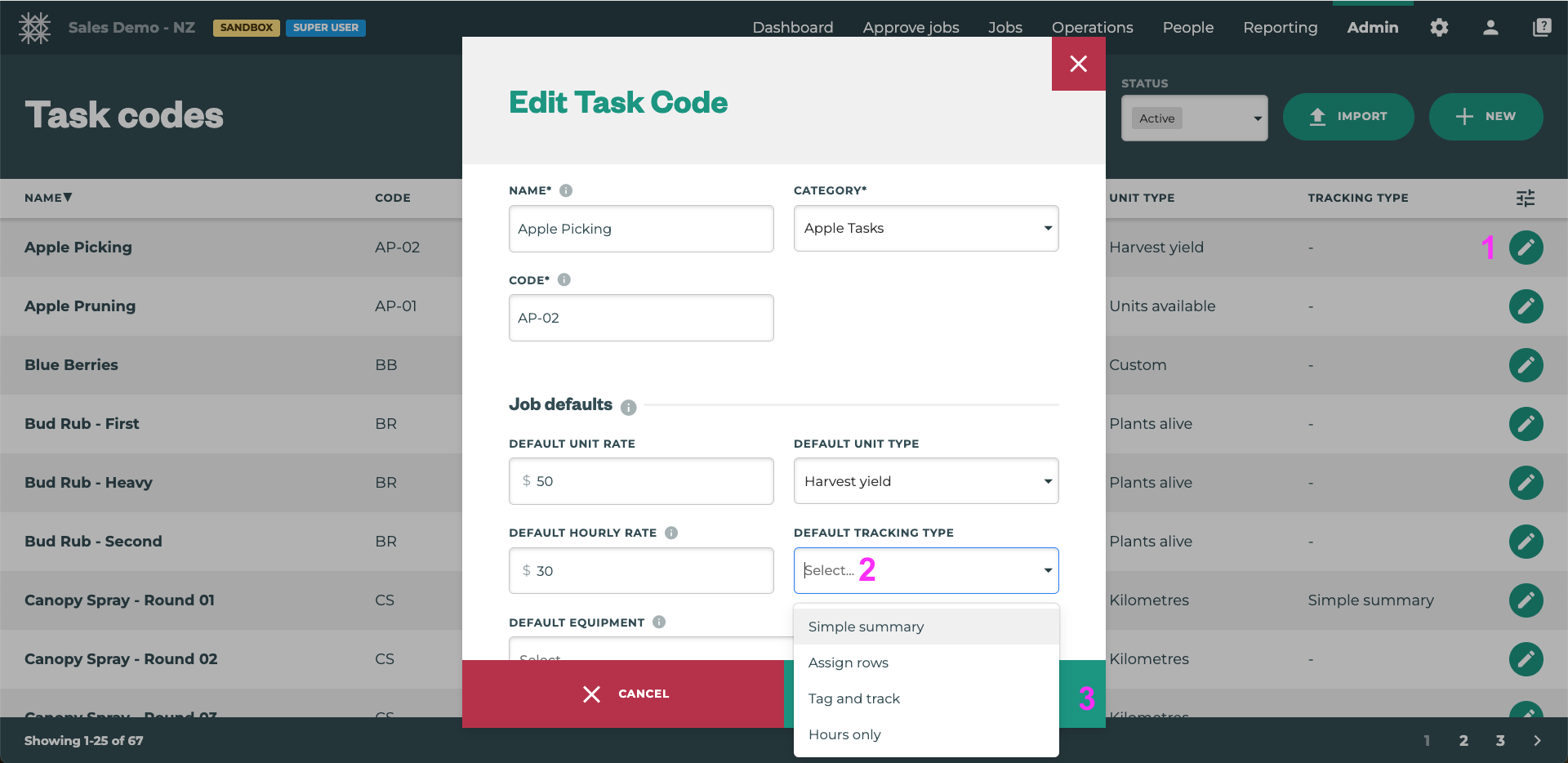
Click the pencil icon to edit the Task
-
Click the dropdown menu labeled DEFAULT TRACKING TYPE
-
Select the correct tracking type for the Task
-
Save
Using Bulk Import to update multiple Task Defaults at once
-
Run a Task Code Export
-
Update the
default_tracking_typefor the tasks you’d like to update -
Save the file
-
Click the Import button on the Task Category or Task Codes page
-
Attache the file
-
Toggle to “Update Existing Rows”
-
Click Continue to Import the Updates
Default Tracking on a Scheduled Task
If there is no Task Default?
This can be used in place of the Task Default Tracking, or in combination with the Task Default Tracking. As with the Task Defaults, Scheduled Tasks will have a DEFAULT TRACKING TYPE option when editing or creating scheduled tasks.
If there is a Task Default?
Editing the Default Tracking Type on a Scheduled Task will over rule the Task’s Default Tracking Type for all Jobs created using the Scheduled Task in Tātou Field App.