What has changed?
Building on the expanded functionality of Employment Period, EP’s now have Statuses based on Start and End Date, which not only help Admin and Managers keep track of who is currently working, but also streamlines Employee access, Crew Leader’s access to their Crew and Time tracking before, during, and after an employee’s employment period.
How do I use it?
Employees can be added and ACTIVE prior to & after their Employment Period dates, with restricted permissions settings.
-
When the EP Status is RECRUITING:
-
Employees with permissions granting access to Tātou Office App or Tātou Field App are able to access their profile information and may edit their personal information (e.g. emergency contact, phone number, personal email, etc.)
-
-
When the EP Status is CURRENT:
-
Employees have access based on the permissions they are granted in their profile
-
Crew Leaders can RELOAD data to find new employees available as soon as possible
-
-
When the EP Status is DEPARTED:
-
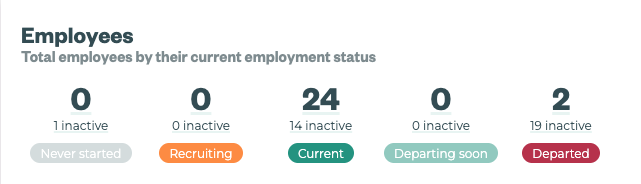
Admin can use the Employees Widget (above) to locate and bulk edit Departed Employees as INACTIVE
-
Employees who have had access to Tātou App (Field or Office) will have restricted access to view their profile and timesheets as long as they have ACTIVE status.
-
Once INACTIVE the Departed Employee will no longer have access to Tātou App.
-
-
When the EP Status is NEVER STARTED:
-
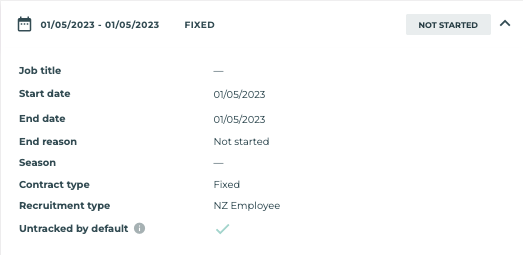
If a potential employee doesn’t work out, they can be marked as Never started. This is done by editing their Employment Period:
-
End date = Start date
-
End reason = Not started
-
-