
What’s changed?
This release focuses on improvements in Tātou Field App Jobs Mode and Kiosk Mode as well as continued improvements to the Crew Stats Feature.
Simple Summary Tracking for Crews
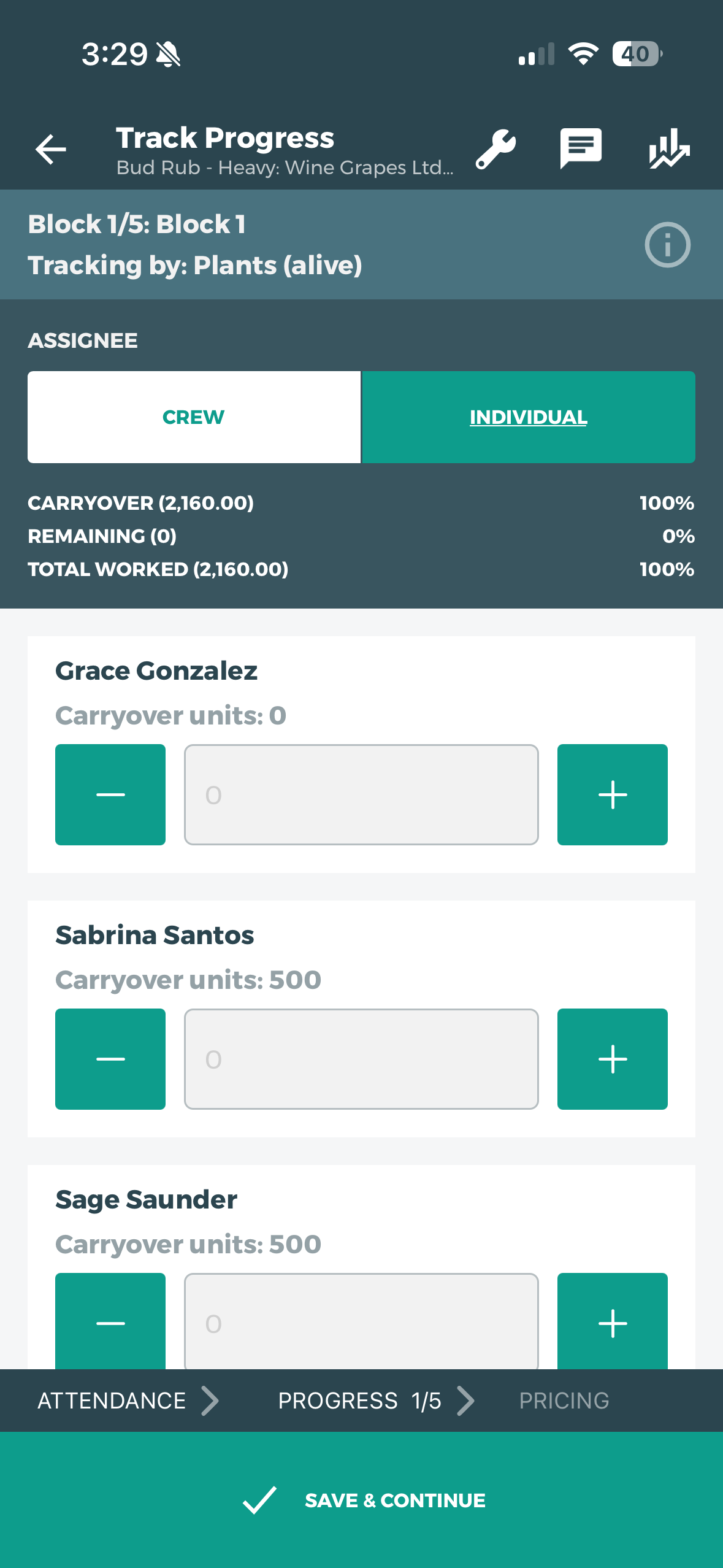
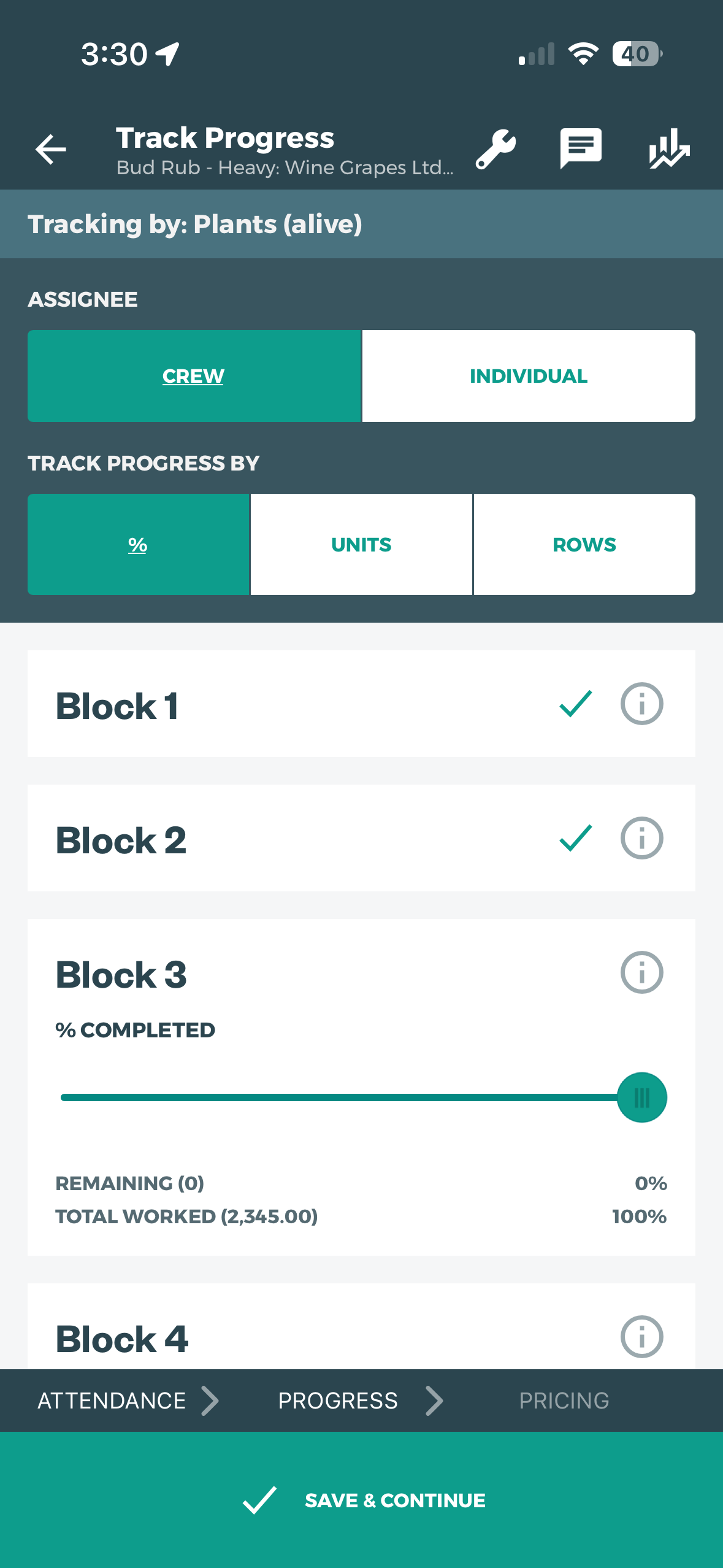
We encourage units tracking as much as possible - even on hourly and group contract or group performance jobs. Where task completion is measured for the crew rather than by individuals, Simple Summary Tracking will now have all blocks on the job listed on a single page. This allows improvement allows simplifies the process for supervisor and admin using scheduled tasks.
Tag & Track Default Unit Update - mid Job
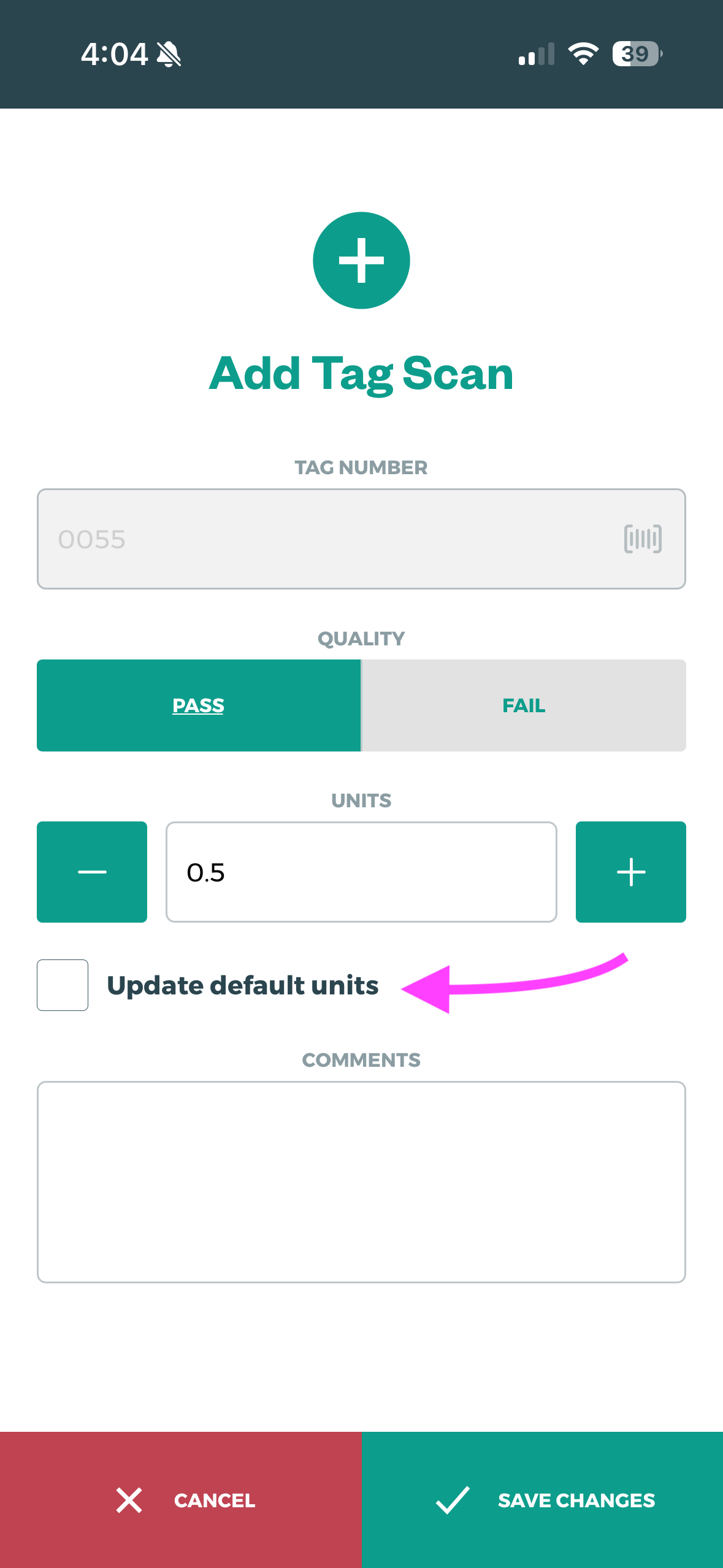
We’ve had feedback from our customers using Tag & Track that at times the default unit might change during a job - for example, at the end of the day the last few scans may only be for 1/2 a unit (bin). This update gives Supervisors in the field the ability to set a NEW Default rate for subsequent scans on the job.
Kiosk Scan Warning
To help avoid duplicate clock in scans, Tātou Kiosk Mode will now provide a warning for employees who accidentally try to clock in twice.
How do I use it?
Update Tātou Field App
App updates are rolled out over time by the app stores, so not all users within your org may have access to the update at the same time. If you’d like to roll these updates out to Field App users within your organisation, please be aware of this, and ensure staff check the relevant app store for updates.
How to…Use the Simple Summary Tracking Update
-
Start a Job
-
Select Simple Summary Tracking
-
Select CREW or INDIVIDUAL (default)
If tracking by CREW (hourly, group contract, group performance):
-
Select TRACK PROGRESS BY
-
Scroll down and EDITING each BLOCK by the progress tool you’ve selected
-
If a block is NOT worked on that Job make sure to track 0 units
The ✔️ on the screenshot shows blocks that were completed on a previous Jobs if using the Carryover Job function.
If tracking by INDIVIDUAL (typically hourly or contract):
-
Track the units per person for ONE BLOCK at a time
-
Save and Continue
-
Track the units for the next block…repeat for all blocks worked
Rate Type Selector has moved to the PRICING Screen
How to…Update the Default Unit on a Tag & Track Job
-
Start A Job
-
Select Tag & Track Tracking
-
Fill out the pre-start Tag Settings
-
Save and Continue
-
Start Scanning Tags
-
IF you want to change the default units per scan:
-
Scan the Tag
-
Edit the Scan
-
Change the UNITS field - this brings up the option to change the default
-
Tap the box for “Update default units”
-
Add comments if necessary
-
SAVE CHANGES
-
All scans after this feature is used will have the updated default units. Make sure users are aware of this feature, and understand how to use it.
How to…Use the Kiosk Scan Warnings
-
Make sure Tātou Field App is updated
This feature will NOT work if users are clocking in on Kiosks with different Kiosk Manager Logins