
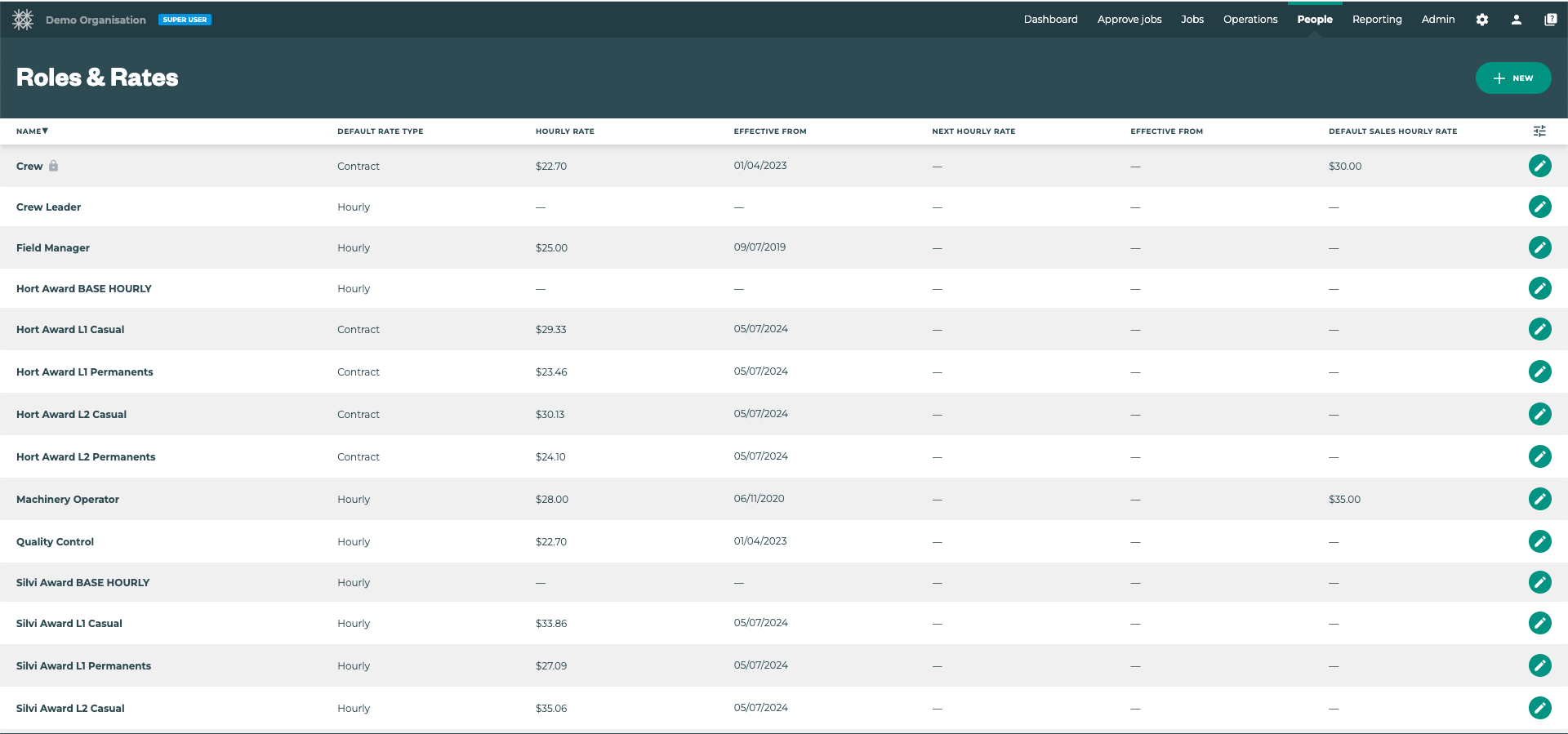
On the Roles & Rates page, users with Office App permissions can create, manage, and review Roles to fit the needs of your organisation.
Feature Update: Check out Tatou’s new Roles Bulk Import and Export tools.
Tātou Terminology Review:
Roles play an important part in Tātou allowing your organisation to:
-
Set different hourly/contract rates for employees working in different roles, and
-
Can be used to restrict Task completion to employees with the set role requirement
Pro Tip - use the 
Key Features:
-
Multiple Roles: Employees can be assigned multiple Roles, but must also have set a Default Role.
-
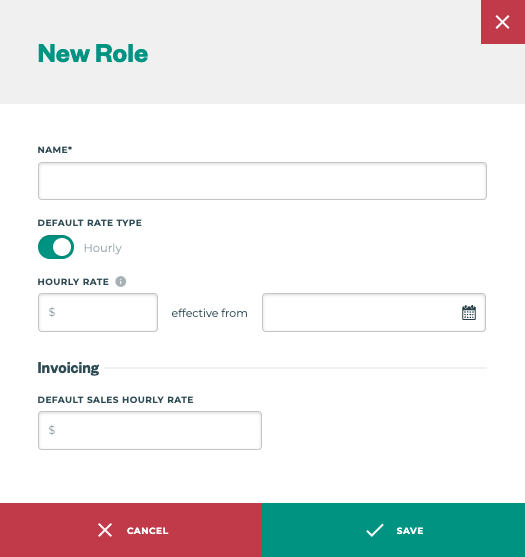
Role Creation: Click the “+ NEW” button →

-
Role Rates Type: Roles can be assigned a Default Rate type of either Hourly or Contract
-
Role Rate Values: Roles can be assigned an Internal Default Rate, as well as a Default Sales Rate, so that Employees with time tracked using a specific role will carry through to Jobs they are a part of.
Roles can be assigned to:
-
Employees in the Employee Profile, or
-
Employees in the Bulk Edit feature on the Employee Page
-
Task Category when creating a Task Category or editing an existing Task Category
If employees are “undefined” when creating a Job in the Field App - a common reason is that they do not have the correct roles assigned to complete that task.