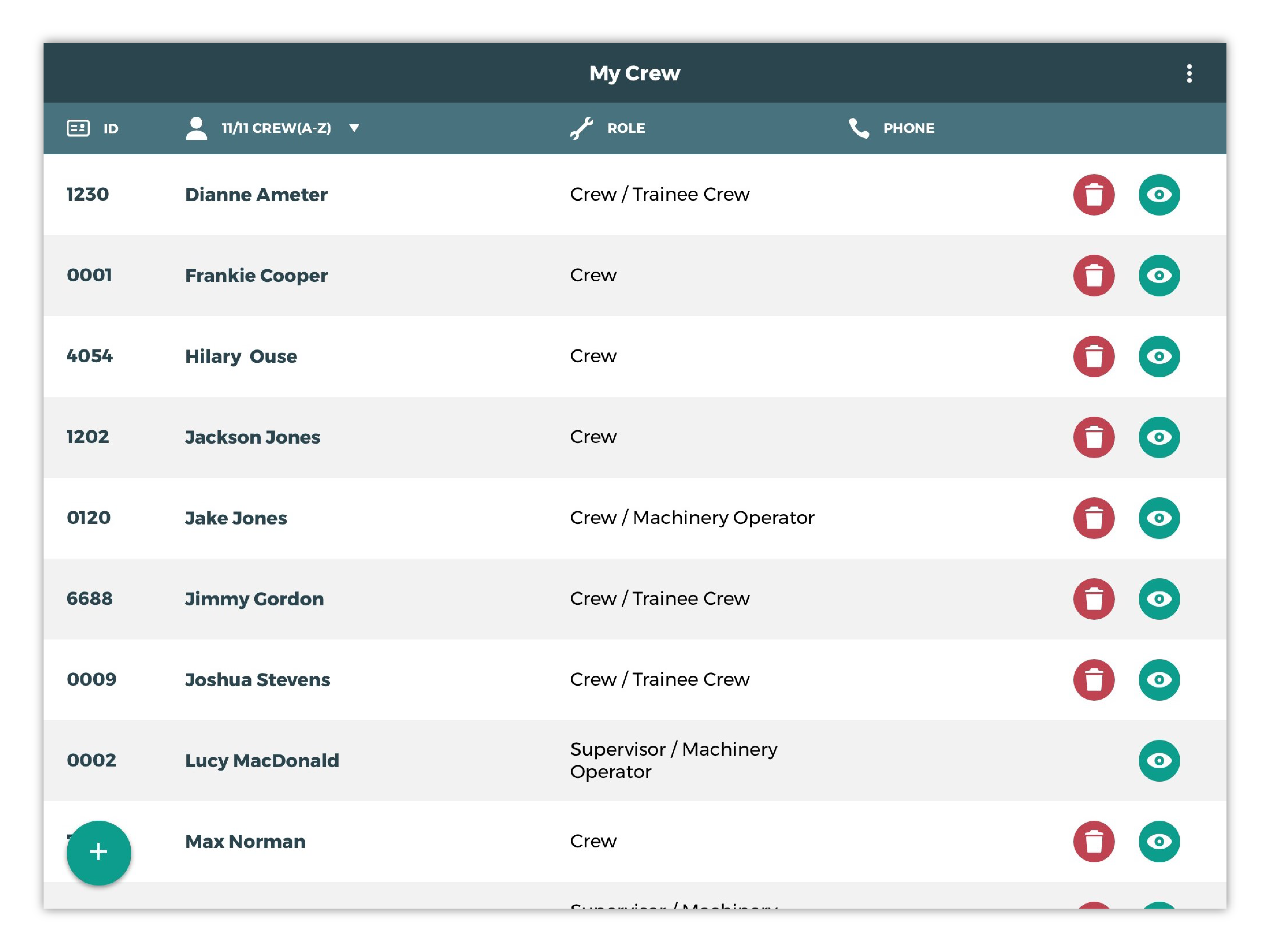
You can add and remove employees from your crew in the My Crew screen.
Add an Employee to your Crew
-
Pressing the
button in the bottom left of the
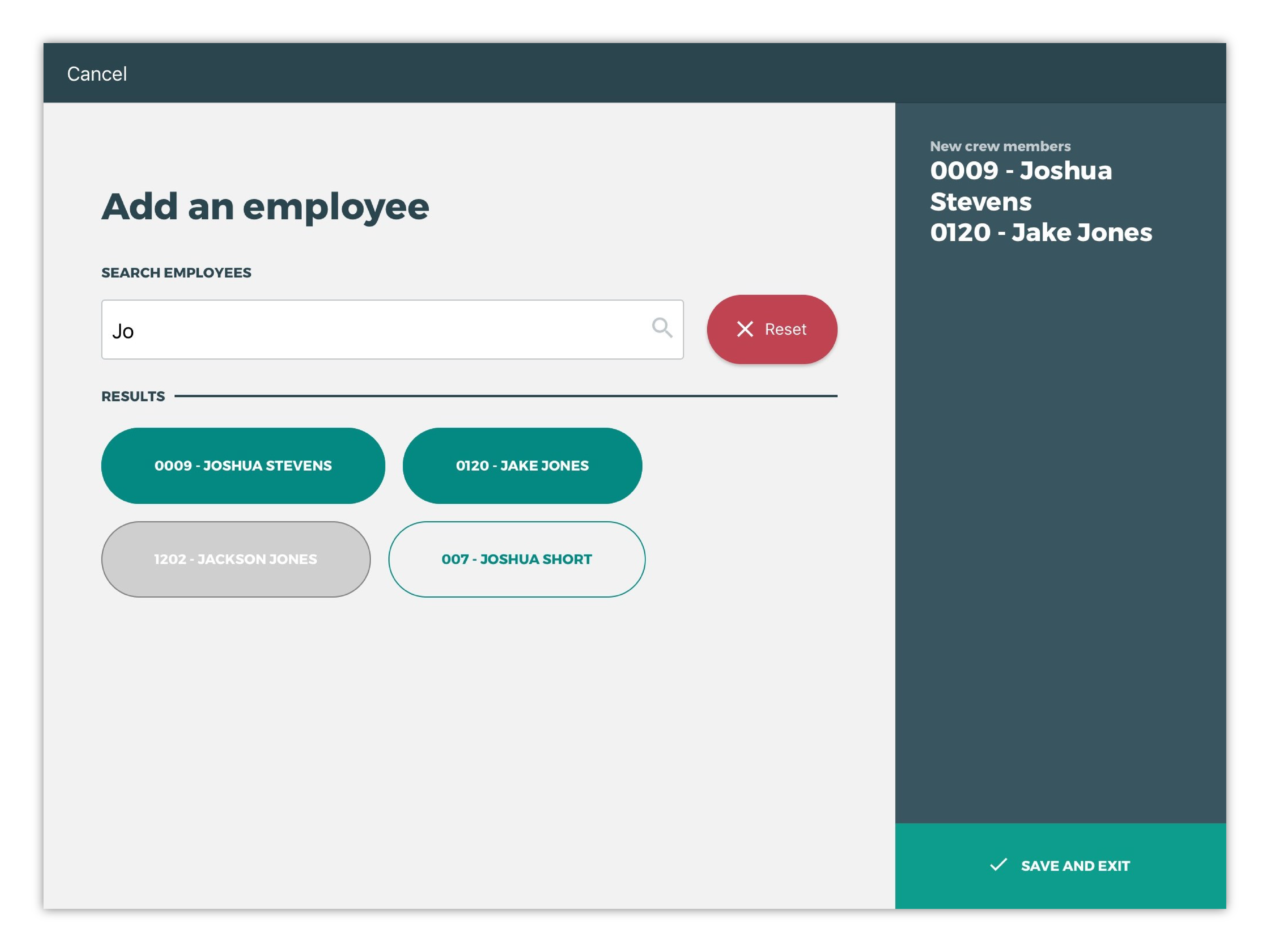
My Crewscreen will open theAdd an employeescreen. -
Search for any active employees by name.
-
Add the employee(s) to your crew by tapping them—selected employees will be highlighted green.
-
Save your changes by tapping
Save and exit.
An employee’s name will show up as one of 3 coloured buttons:
-
Clear: unselected employee
-
Grey: employees already in your crew
-
Green: selected employees to be added to your crew
Removing a Crew Member
-
Navigate to the
My Crewscreen -
Remove an employee from your crew by tapping the red trash icon in the same row.
-
Confirm you want to remove this crew member.