
The Scheduled Tasks Screen is where Tātou Field App users can find, start, merge, monitor Task progress, and continue to track Jobs using Tātou’s Scheduled Task Feature.
Scheduled Task = Task planned ahead of time in the Tātou Office App containing details required to start job. They are assigned to a person or crew leader to help direct work in the field. Scheduled Tasks will appear on the assigned workers tablet, allowing them to hit PLAY, and skip past the “Start a Job” questions on Task, Client, Location, Block, etc.
Key Features
Task Due Dates: Displays Task due dates set by managers in the Tātou Office App.
Task Status:




Task Progress: In progress Scheduled Tasks whose linked Jobs have been tracked using Simple Summary or Assign Rows will report a running total of % complete, so crews can see how much they have worked to date.
Scheduled Task Descriptions: Managers can add Scheduled Task Descriptions when creating them to communicate more detailed information to Crews using Tātou Field App.
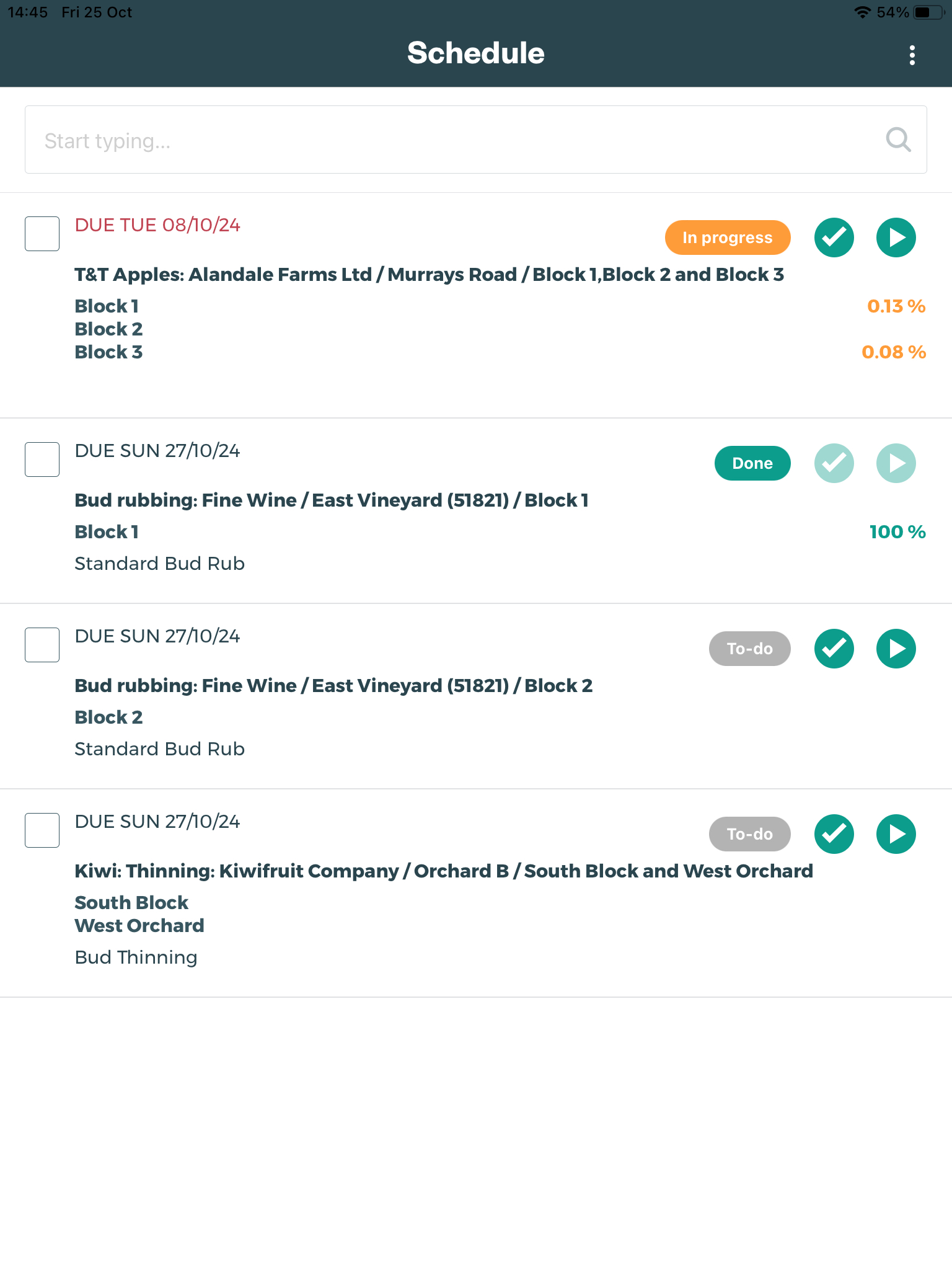
To Refresh Scheduled Task List: Simply swipe down on the screen to update your list
Merge Scheduled Tasks: Tātou Field App users can merge Scheduled Tasks that share the same:
-
Client, Location, Task, and Unit Rate - if contract rate type Tasks.
Scheduled Tasks cannot be un-merged - confirm that merging is okay before tasks can be merged before merging tasks.
Pro Tip: For Tātou Users who are creating the Scheduled Tasks. The Description is a great place to put notes for contract tasks whose unit rate may differ from the normal. For Example:
Task = Planting Trees
Defualt Unit Rate = $0.50
Unit Rate for Block A is not $0.50/tree, but $0.65/tree
Description in the Scheduled Task for Block A: Unit Rate $0.65 for Block A Only
Accidentally Marked a Scheduled Task as DONE? Contact your Manager or Tātou Admin and ask them to reset the Scheduled Task Status to To-do or In progress in the Tātou Office App.