
What has changed?
This release is designed to provide Supervisors in the field set work rate goals for their crews, and provide real-time crew performance stats while tracking jobs.
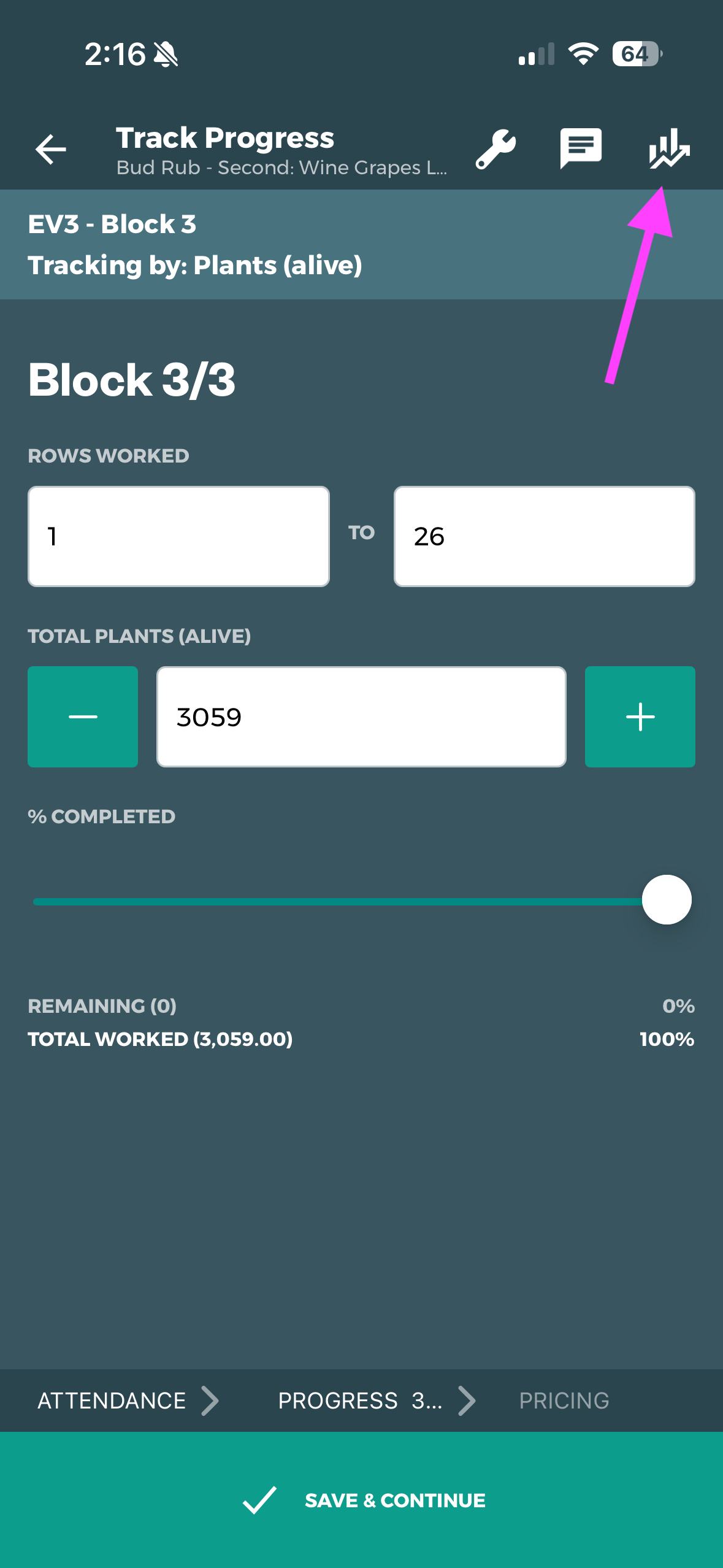
Tap the STATS Icon to open the Crew Performance Stats for the Job
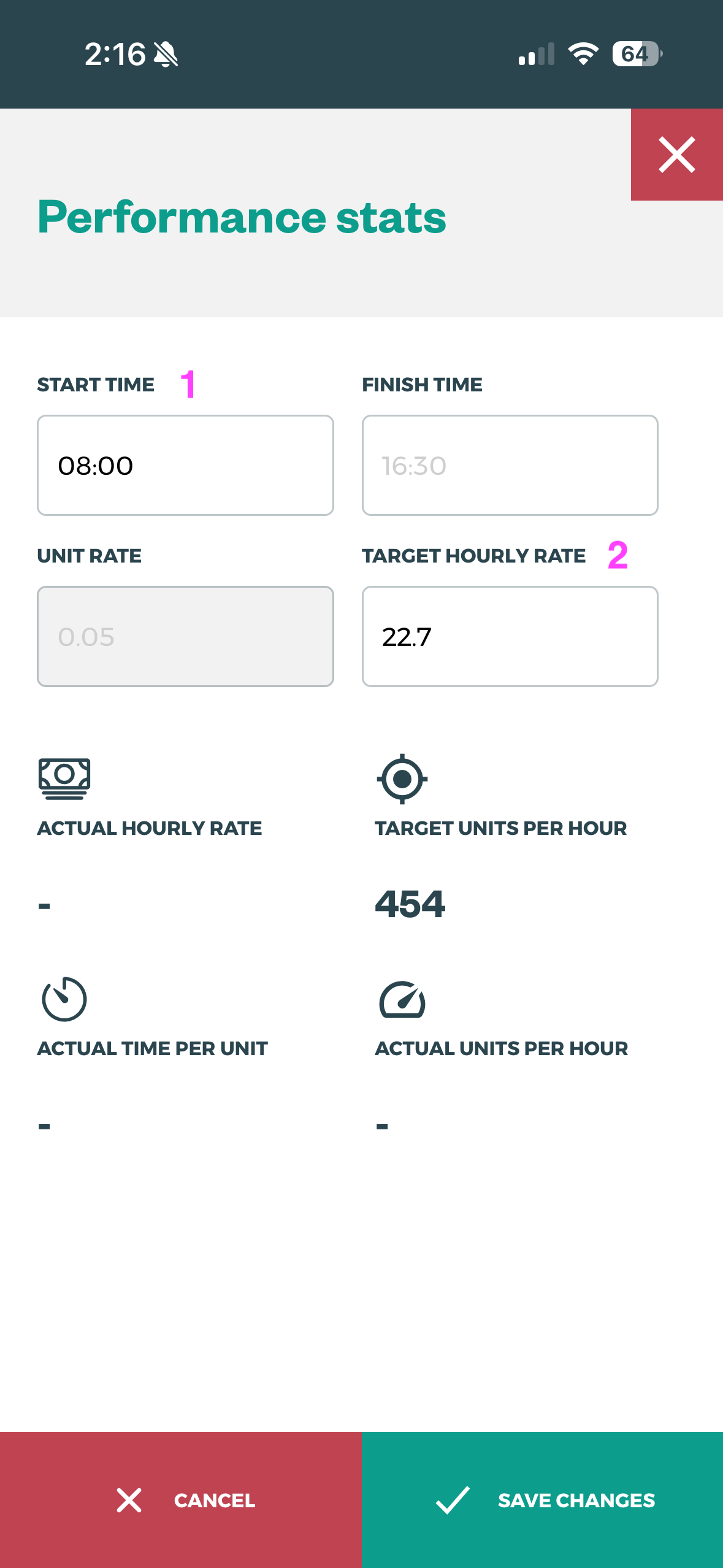
-
Defaults to Job Start Time
-
Defaults to Task Default Unit Rate
-
Defaults to your Organisation's minimum hourly rate
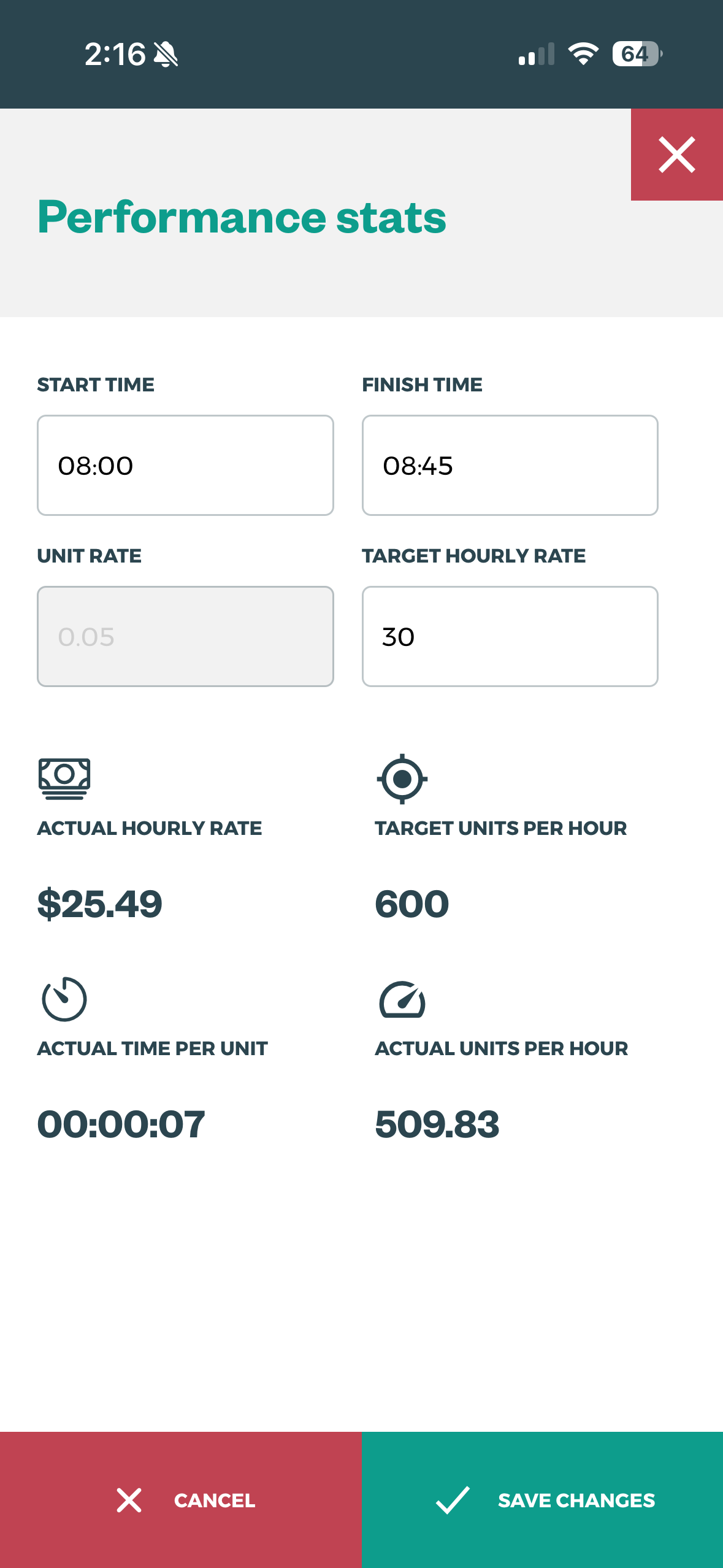
Editing:
-
TARGET HOURLY RATE will update the TARGET UNITS PER HOUR
-
FINISH TIME will update the ACTUAL FIELDS - if units have been tracked
If your organisation does not have Default Unit Rates and/or your Supervisors/Field App users do not have SET RATES permissions, this feature will not be functional. If you’d like to discuss your settings pleases contact support@tatou.app for assistance.
How do I use it?
This feature is intended to help Supervisors:
-
Set working rate goals,
-
Get a rough idea of crew performance while tracking the job, and
-
See the final crew performance stats at the end of the Job
The accuracy of the ACTUAL performance metrics mid-tracking is only as accurate as the units tracked at that time.
Set goals for the crew
-
Tap the Stats Icon
-
Edit the TARGET HOURLY RATE
-
Tell your crew what the TARGET UNITS PER HOUR to achieve the target hourly rate
Real-time Performance stats
The values labeled ACTUAL are based on units tracked, in addition to the editable values (start time, finish time, unit rate), and are a crew average
-
Track units as normal
-
When the units tracked roughly match actual* add the current time to the FINISH TIME box
-
This will give you a rough estimate of crew performance
When using Assign Rows tracking all units are assigned to a crew member when they are assigned to a row. If your crew works at roughly the same speed, wait until the crew have all finished/mostly finished their working rows before checking ACTUAL values.