
What has changed?
Tātou Office App Users with Attendance permissions can now add Absences in Bulk!
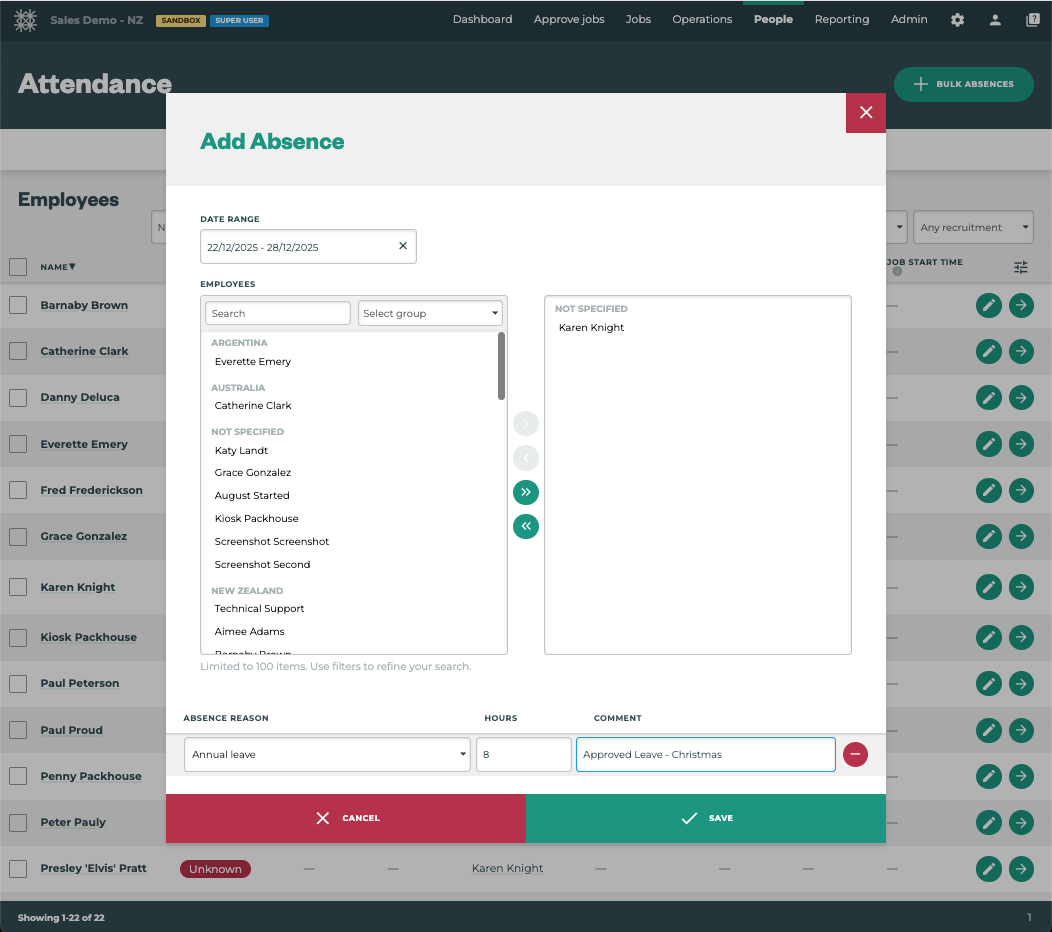
How do I use it?
Managers and Admin can now add Absences in Bulk not only for a Day but for a selected Date Range.
Steps:
-
Click People Menu → Attendance
-
Click the + BULK ABSENCE button in the top right of the screen
-
Select the Date(s) of Absence
-
Select the Employee(s) - must be Absent for the same reason
-
Add/Check the Hours applied
-
Add Comments
-
Click SAVE