
What has changed?
This release was designed to help kiwifruit growers who pay for pruning by the square metre, but who needed a clear and simple way for staff to communicate work completion on a daily basis.
Tātou Field App now has a unit conversion calculator built into the edit units screen on Assign Rows Jobs to help simplify data entry and calculations when the unit paid is not something that crew may know off the top of their heads.
Example: Kiwifruit Pruning - paid in square metres, but worked by the bay.
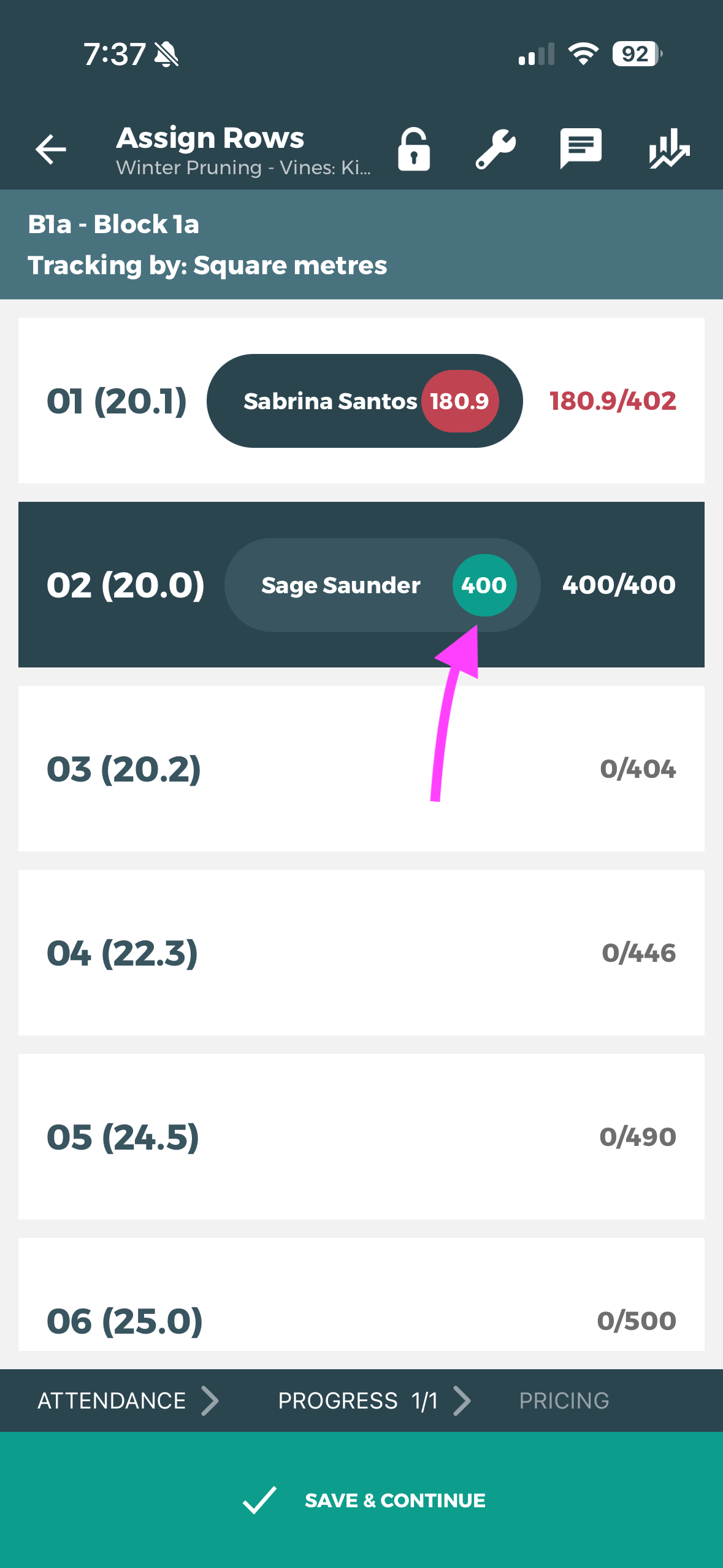
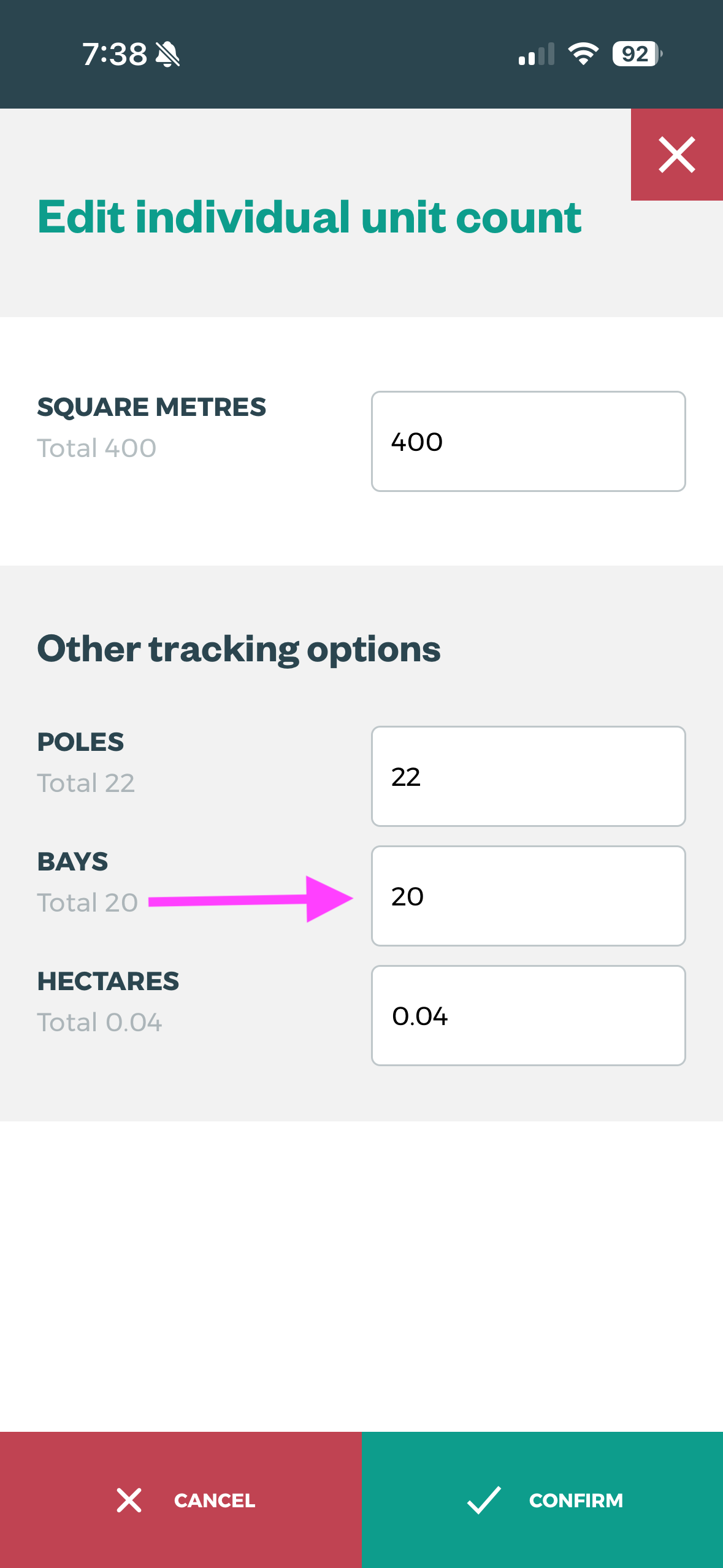
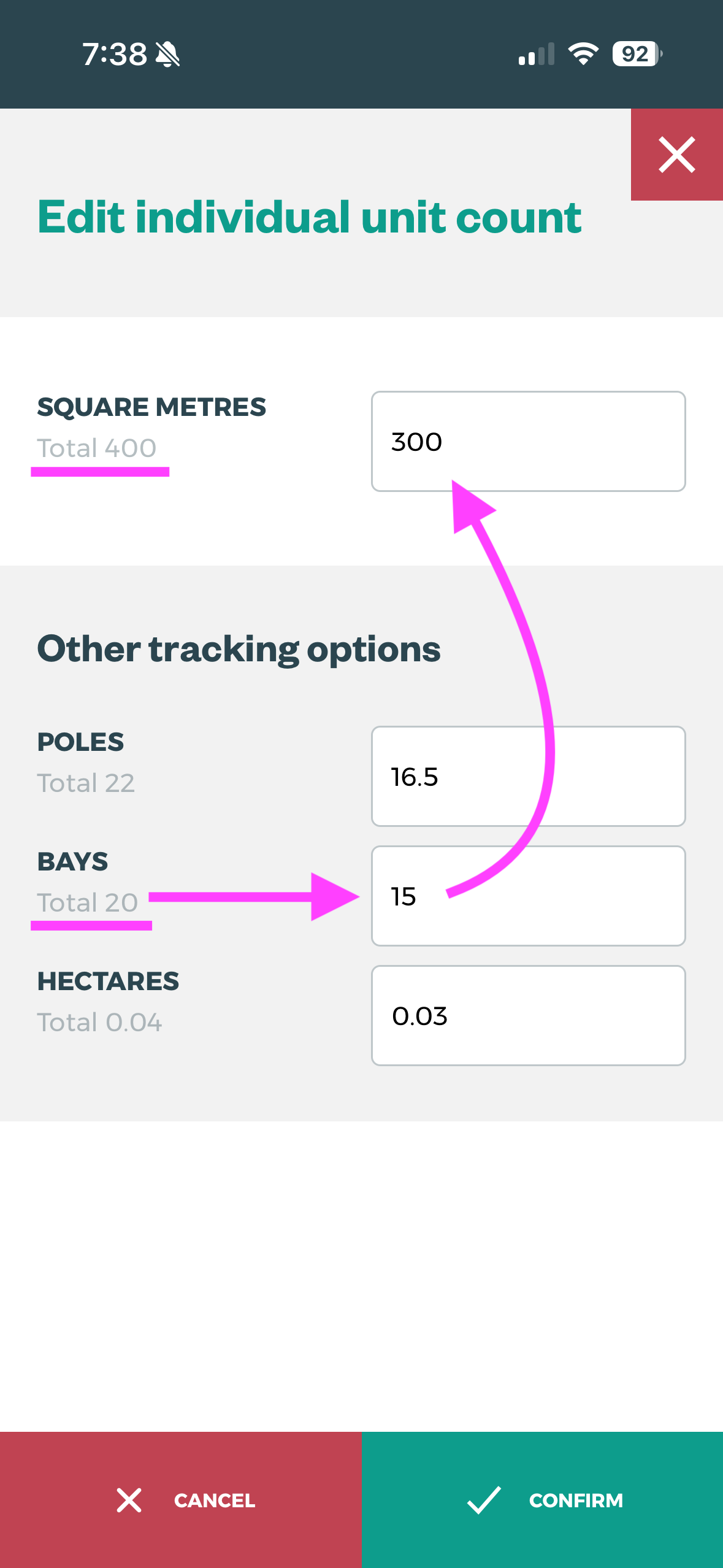
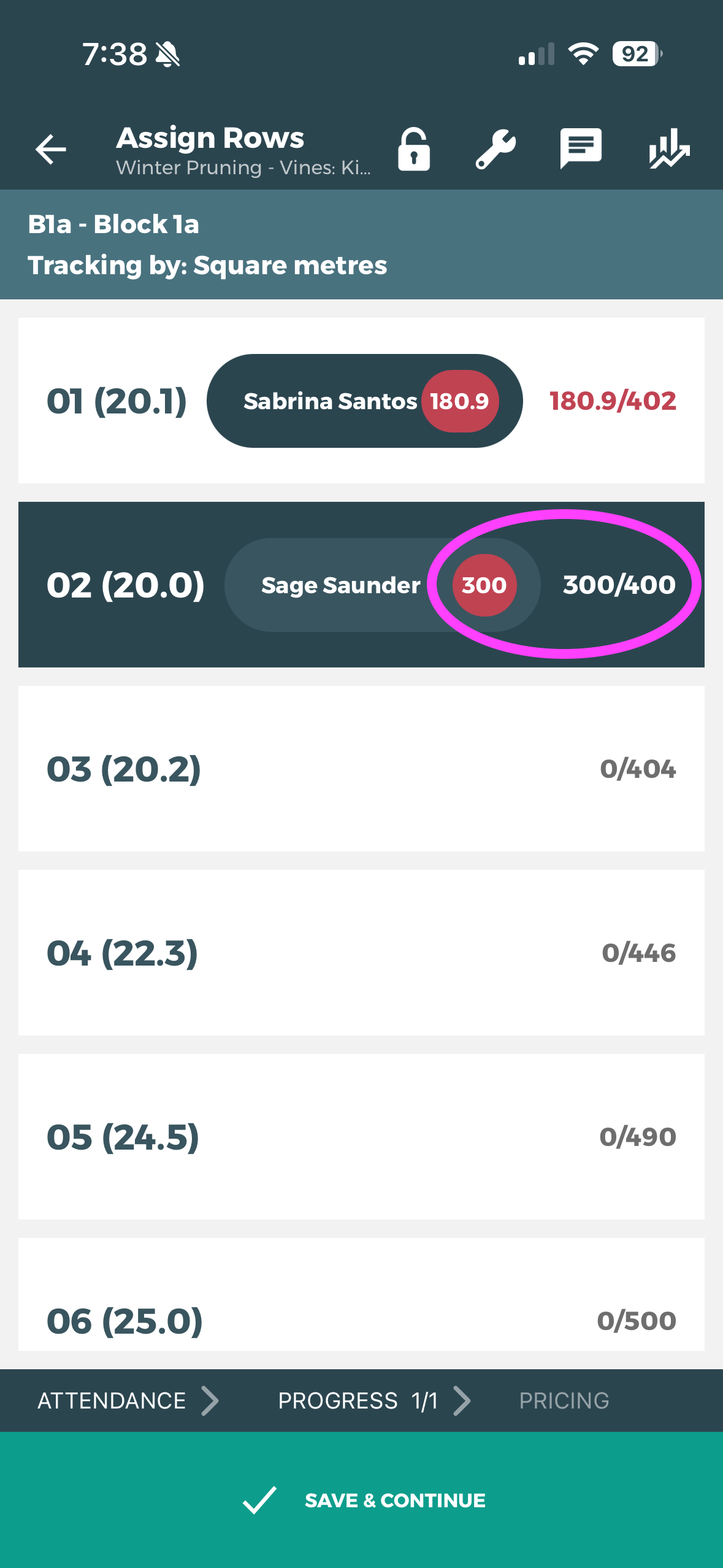
Unit Conversion is only available for blocks with rows that have multiple unit types populated by row.
How do I use it?
Populate Units per Row in Tātou Office App
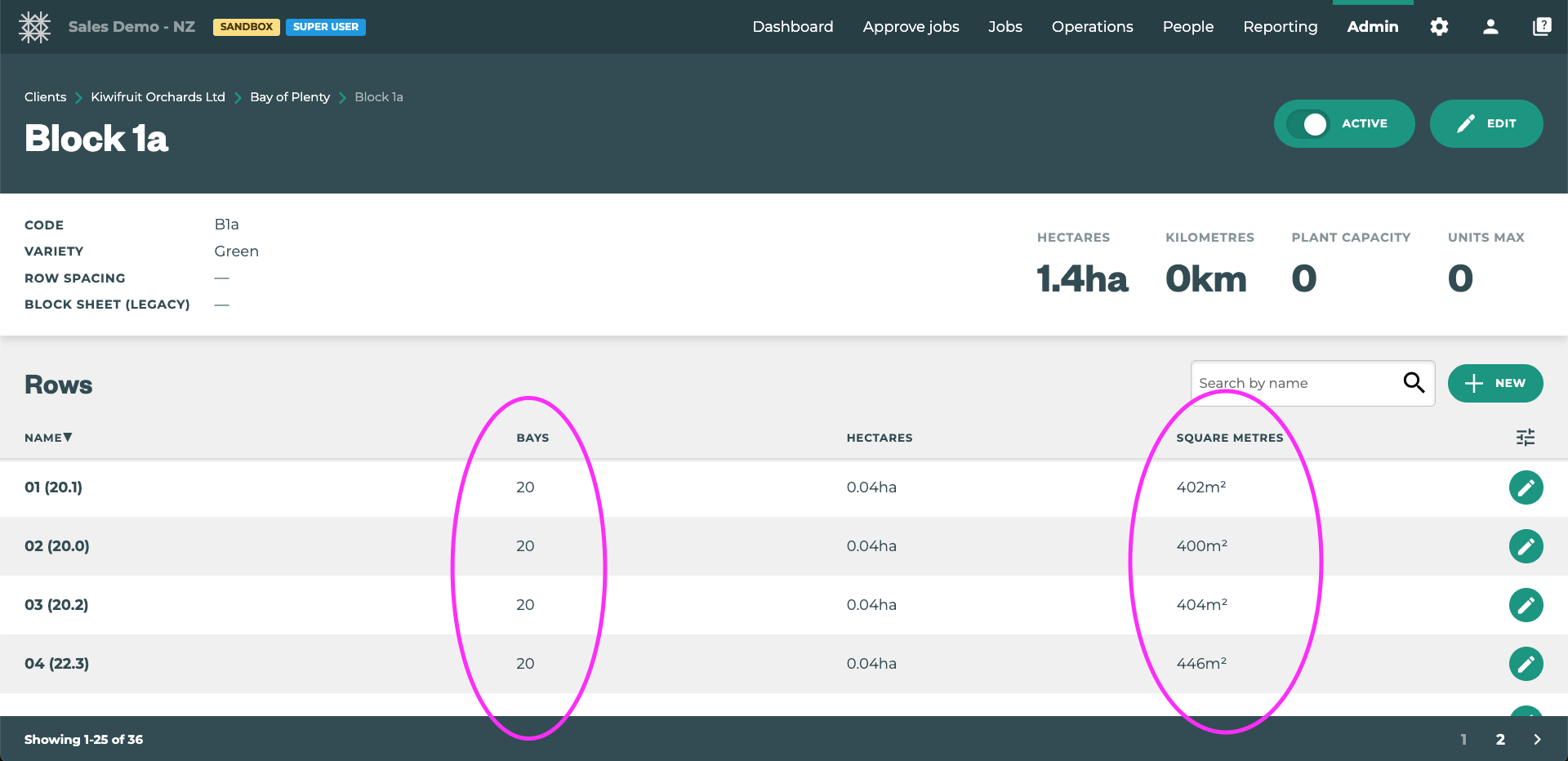
This feature works by calculating the relative percentage of units communicated and applies that same percentage to the units paid/tracked. For this to work you must first make sure that accurate row data is available for your blocks for each relevant unit type. This is done in Tātou Office App.
Unit Converter in Tātou Field App
As long as there is data for each row and the relevant unit types you’d like to use, this conversion tool will automatically be available when the Supervisor edits units worked.
Steps to Use:
-
Start Assign Row Job
-
Assign Rows
-
If the crew member completed a partial row ask how much they completed → (in this example it’s bays).
-
Tap the Units bubble next to their row assignment
-
Find the “Bays” units in in the Other tracking section
-
Enter in the Bays they said they worked
-
CONFIRM
-
Done - the tracked units will change to reflect the relative proportion of units worked vs the unit type communicated
-
-