
What has changed?
Pruning for most crops that we support can last quite a long time and is often paid on contract or performance rate types. Ensuring that blocks are not under or overworked is something we know is important to our users, so we’ve built in-app features designed to bring our existing Block Coverage Report information to users in a more efficient way.
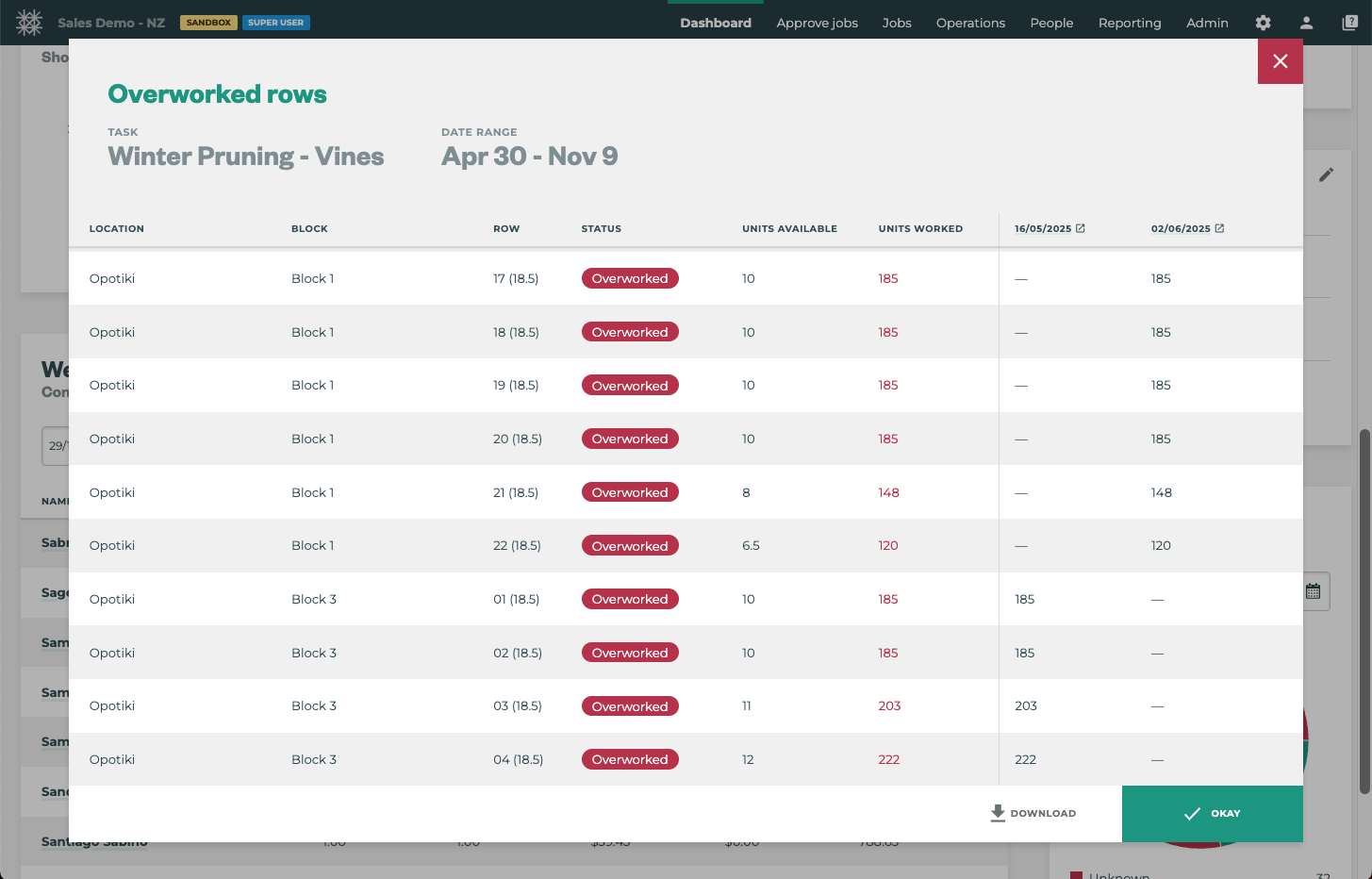
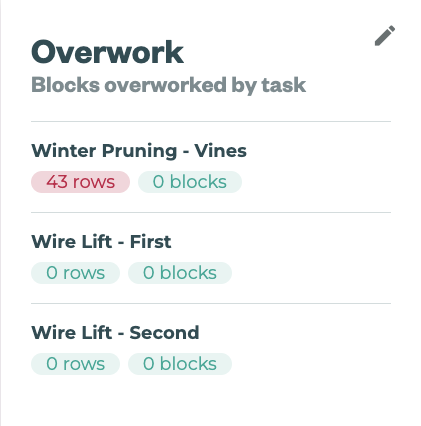
Overview Dashboard → Overworked widget
Designed to highlight potential data entry errors that lead to overworked, and thus over paid, blocks the team have released the Overwork widget located on the Overview Dashboard.
Track up to 5 Tasks over a specific date range where you might expect to see overwork data errors.
Only available for Jobs tracked using Simple Summary, Assign Rows, or Tag and Track Job tracking types
This widget is limited to 5 tasks per organisation to maintain system performance.
Overworked Block Views in Projects
For those using Projects, the block coverage feature is available directly in the project. By hovering over the Blocks for a task within a project, the block coverage icon appears and users can quickly open the block specific block coverage details to review overworked/underworked data for each block.
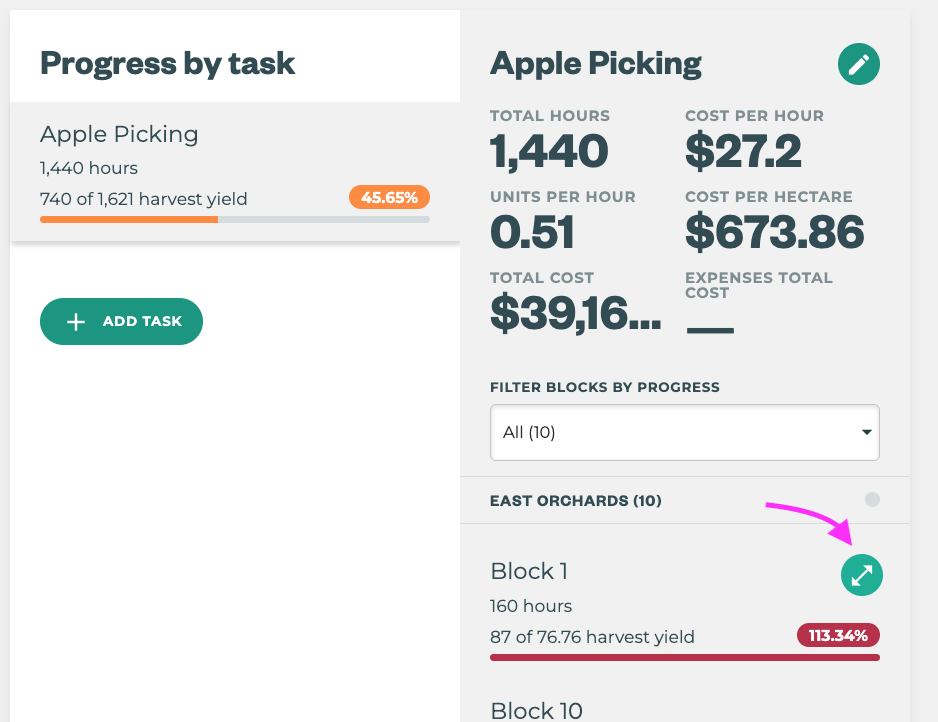
This tool does not alert overworked rows until the block itself is overworked.
How do I use it?
Overworked widget
Users must have Edit dashboards permission to add tasks to this widget, however all users with Dashboard permissions are able to view and use the information once set up.
Steps to Set Up
-
Click the Edit Icon on the Overwork widget
-
Click the + ADD TASK button
-
Select a Task from the Dropdown Menu
-
Add the Date Range this task will be competed in
-
SAVE & or Repeat until you’ve added up to 5 tasks.
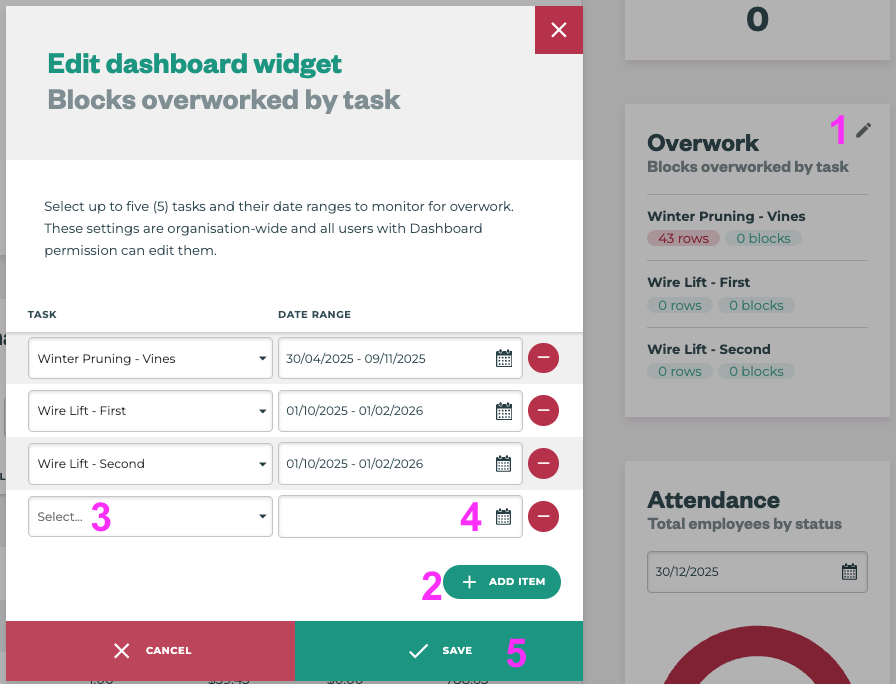
Pro-Tip: Make sure the date range starts before and ends after your expected start and finish dates to ensure you accomodate mother nature’s influence on operations.
Pro-Tip: If 5 tasks do not cover all of your operations that you’d like to keep an eye on. You can EDIT and change the task IF those tasks share the same date range to quickly check other tasks.
Block Coverage in Projects
Steps to Set Up
-
Use Projects - that’s it.