
What’s changed?
Permission Groups has had an upgrade! This update provides administrators with more granular control to grant (or restrict) user access to suit business and privacy needs.
Settings | Permissions Page
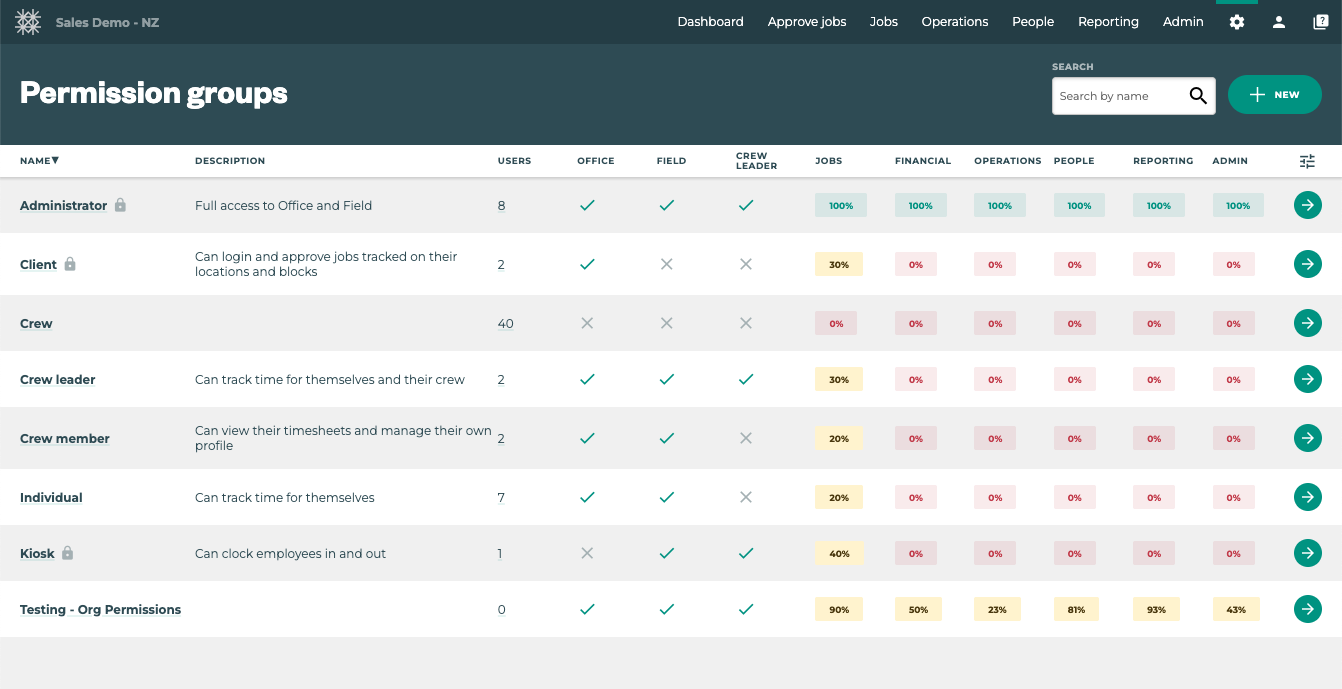
This updated view gives users a count of Employees with the specific permissions, as well as a more detailed visualisation of what Permissions users have within the Permission Categories.
Feature Subscription may impact the overall percentage of permissions granted under each category. Administrator permission group will always be set to full access for the features your organisation uses, regardless of the percentage reported for each category.
Permissions group | Tabs
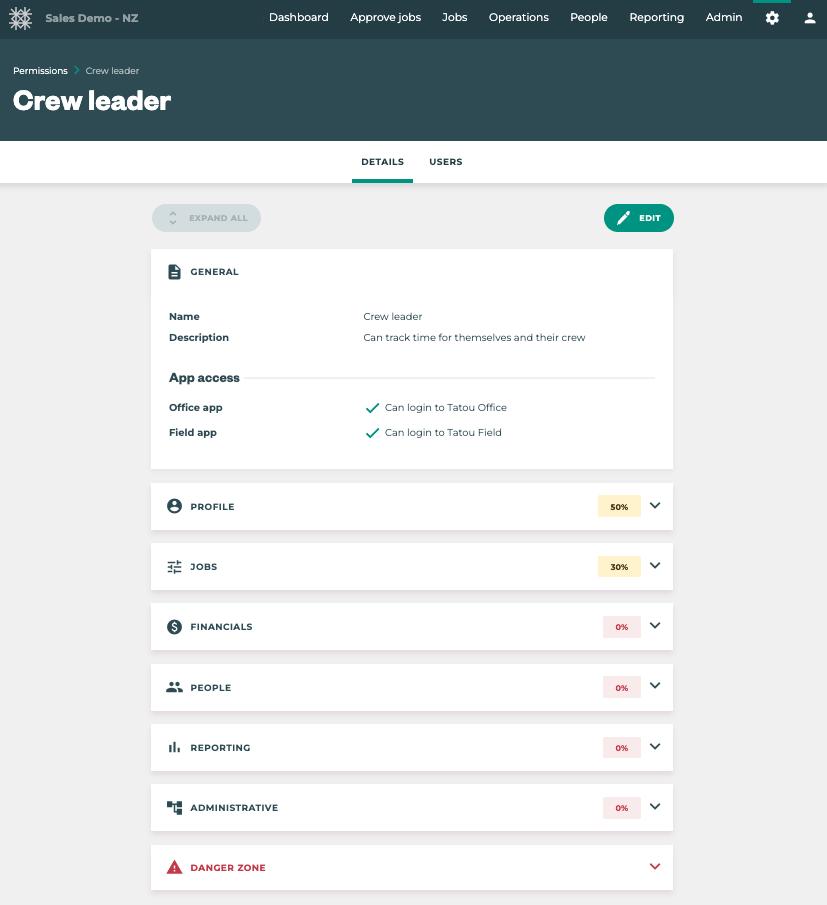
Within each permission group there are now two tabs: DETAILS & USERS
The DETAILS tab is where users with access to Permissions groups can edit settings to tailor user access.
Please contact support@tatou.app if you’d like to review the expansion with someone on our team.
The USERS tab contains the same information available previously.
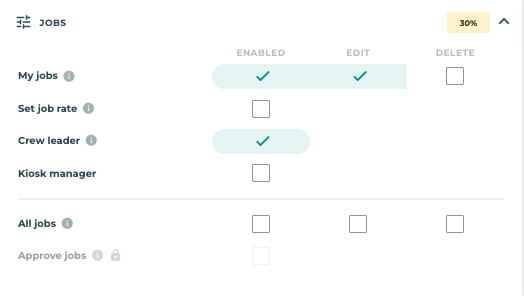
Permission groups | Section Options
As part of the release we’ve added more options and visibility around user’s ability to view, edit, and even delete information in Tātou.
Permission groups | Advanced Options
Using the ADVANCED toggle by the SAVE & CANCEL buttons at the top of the page, users can expose additional permissions settings which are designed to further tailor Office App access.
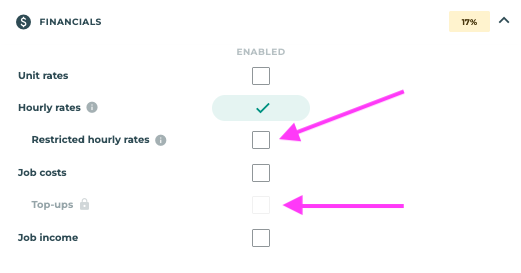
Permission groups | Restricted hourly rates
Restricted hourly rates is now a feature designed to add a layer of privacy where Permissions Groups and Divisions cannot quite provide the level of privacy between staff who need access to Job Costs, but should not see hourly rates of certain employees.
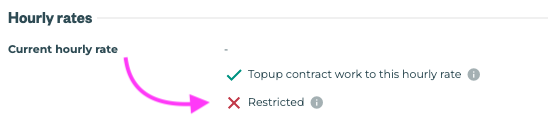
Please have a review of your Permissions Groups, Divisions, and Employee requirements before enabling this feature in the Employee Profile and designated Permission Groups.
How do I use it?
Permissions have been migrated to the new set up and no action is required. However, if you’d like to take advantage of some of the expanded permissions settings take a look at the options available in Settings Menu → Permissions and click the green arrow to review what’s new.
For a guided tour of the expanded permissions settings please contact support@tatou.app